• New Website for downloads

    We established this website with the intention of fostering a community in which individuals could join and share their insights and resources. However, we have observed that the majority of users primarily utilize the platform to download desired files, subsequently returning only for future updates. In response to this trend, we have decided to develop An application that will run on Windows, Linux, and Mac And we will be combining Sngine.community and codanya.com Into this application, creating one large download app That will have a wide selection of downloads available for our users.

    We currently have a Windows Alpha version available that we are testing. And hoping to have that released very soon!

    If you have any suggestions on what type of files and products that we should list for download, feel free to message or post, and we will see about adding that to it.

After loading any file, a video playback window appears

Yurensiy

Member
Community Supporter
Points 8
Solutions 0
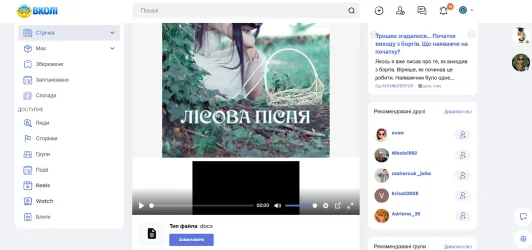
I'm still trying to troubleshoot various issues. So, when I load a file of any type, a video playback window appears, even though the video itself hasn't loaded. It turns out the engine is trying to automatically play the file as a video.
I can't find a way to disable this in the settings.
Please help me resolve this issue.
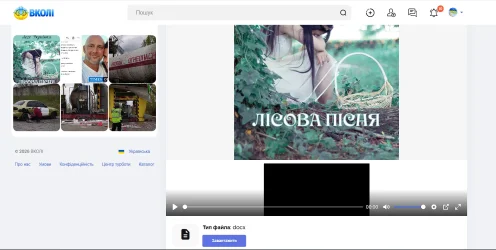
Снимок экрана 2026-05-01 195747.webp
 
I'm still trying to troubleshoot various issues. So, when I load a file of any type, a video playback window appears, even though the video itself hasn't loaded. It turns out the engine is trying to automatically play the file as a video.
I can't find a way to disable this in the settings.
Please help me resolve this issue.
View attachment 281
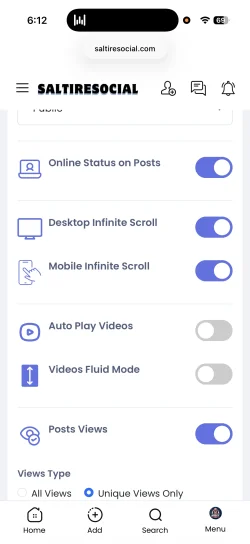
Yes, within the admin panel, there is a setting to turn off auto-playback on video when I'm home. I will find it and tell you where it is if you don't find it first in the meantime.

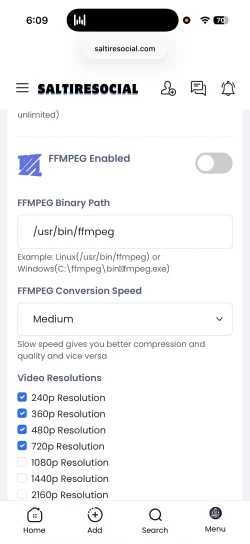
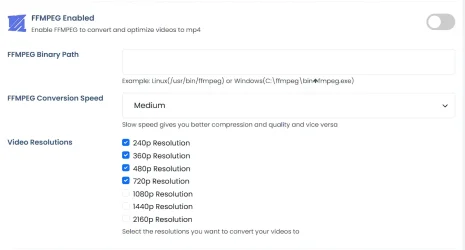
Also make sure you have FFmpeg disabled or enabled if you have it installed. If you do not have it installed, make sure it is disabled and only MP4 videos are being uploaded.
 
Also make sure you have FFmpeg disabled or enabled if you have it installed. If you do not have it installed, make sure it is disabled and only MP4 videos are being uploaded.
I don't know where to find this...
 
But remember, if you turn off FFmpeg, you will not be able to upload any video other than MP4 video formats that are browser compatible.
 
It was disabled
1777667529332.webp
 
The whole point is that it's not a video, but a file. But for some reason it's recognized as a video. Same thing with zip files.
 
The whole point is that it's not a video, but a file. But for some reason it's recognized as a video. Same thing with zip files.
I'm not too sure, as I just uploaded a zip file and an mp3 file, and they seem to be working correctly. What is the file format that you uploaded in the image above?
 
It works correctly now. Thank you very much!!
 
It works correctly now. Thank you very much!!

The only thing that I changed in the admin panel was this. Videos Fluid Mode to off
 

Donate: Campaign

Total amount
$0.00
Goal
$60.00

AdSense

Back
Top