Closed How do I set a canonical page for all pages and sections of a website?

Status
Not open for further replies.

Yurensiy

Member
Community Supporter
Points 8
Solutions 0
Hello. How do I set a canonical page for all pages and sections of a website? I made a mistake, not because I needed a domain, but because it redirected to the main site, and now Google is complaining that this site is a copy. Consequently, it ranks 100+ positions in search results.
I need to set this page as the canonical one. But if I use the code <link rel="canonical" href="URL" /> , it's the same for all pages, and each page needs its own canonical code.
 
Hello. How do I set a canonical page for all pages and sections of a website? I made a mistake, not because I needed a domain, but because it redirected to the main site, and now Google is complaining that this site is a copy. Consequently, it ranks 100+ positions in search results.
I need to set this page as the canonical one. But if I use the code <link rel="canonical" href="URL" /> , it's the same for all pages, and each page needs its own canonical code.
Generate the canonical URL dynamically using the site's configured base URL (SYS_URL) + the current
request path ($_SERVER['REQUEST_URI'])

1. includes/functions.php — Add canonical generation in page_header() (after line 7282)
After the existing $smarty->assign('page_image', $image);, add:

PHP:
 /* generate canonical URL */
 $page_canonical = '';
 if (isset($_SERVER['REQUEST_URI'])) {
   $request_path = parse_url($_SERVER['REQUEST_URI'], PHP_URL_PATH);
   if ($request_path !== null && $request_path !== '') {
     $skip_prefixes = ['/admincp', '/modcp', '/admin.php', '/moderator.php'];
     $is_control_panel = false;
     foreach ($skip_prefixes as $prefix) {
       if (strpos($request_path, $prefix) === 0) {
         $is_control_panel = true;
         break;
       }
     }
     if (!$is_control_panel) {
       $page_canonical = SYS_URL . $request_path;
     }
   }
 }
 $smarty->assign('page_canonical', $page_canonical);

 Key decisions:
       if (strpos($request_path, $prefix) === 0) {
         $is_control_panel = true;
         break;
       }
     }
     if (!$is_control_panel) {
       $page_canonical = SYS_URL . $request_path;
     }
   }
 }
 $smarty->assign('page_canonical', $page_canonical);

2. content/themes/default/templates/_head.tpl — Add canonical tag (after line 26)

After <!-- OG-Meta -->, before <!-- Twitter-Meta -->:

Code:
     <!-- Canonical -->
     {if $page_canonical neq ''}
       <link rel="canonical" href="{$page_canonical}" />
     {/if}
     <!-- Canonical -->

3. Add og:url in _head.tpl inside the OG-Meta block (after line 25)

Code:
     <meta property="og:url" content="{if $page_canonical neq
 ''}{$page_canonical}{else}{$system['system_url']}{/if}" />

This helps social platforms (Facebook, etc.) identify the canonical URL for shared links.


This should do what you want; however, I have not tested the code within a script yet.
 
Generate the canonical URL dynamically using the site's configured base URL (SYS_URL) + the current
request path ($_SERVER['REQUEST_URI'])

1. includes/functions.php — Add canonical generation in page_header() (after line 7282)
After the existing $smarty->assign('page_image', $image);, add:

PHP:
 /* generate canonical URL */
 $page_canonical = '';
 if (isset($_SERVER['REQUEST_URI'])) {
   $request_path = parse_url($_SERVER['REQUEST_URI'], PHP_URL_PATH);
   if ($request_path !== null && $request_path !== '') {
     $skip_prefixes = ['/admincp', '/modcp', '/admin.php', '/moderator.php'];
     $is_control_panel = false;
     foreach ($skip_prefixes as $prefix) {
       if (strpos($request_path, $prefix) === 0) {
         $is_control_panel = true;
         break;
       }
     }
     if (!$is_control_panel) {
       $page_canonical = SYS_URL . $request_path;
     }
   }
 }
 $smarty->assign('page_canonical', $page_canonical);

 Key decisions:
       if (strpos($request_path, $prefix) === 0) {
         $is_control_panel = true;
         break;
       }
     }
     if (!$is_control_panel) {
       $page_canonical = SYS_URL . $request_path;
     }
   }
 }
 $smarty->assign('page_canonical', $page_canonical);

2. content/themes/default/templates/_head.tpl — Add canonical tag (after line 26)

After <!-- OG-Meta -->, before <!-- Twitter-Meta -->:

Code:
     <!-- Canonical -->
     {if $page_canonical neq ''}
       <link rel="canonical" href="{$page_canonical}" />
     {/if}
     <!-- Canonical -->

3. Add og:url in _head.tpl inside the OG-Meta block (after line 25)

Code:
     <meta property="og:url" content="{if $page_canonical neq
 ''}{$page_canonical}{else}{$system['system_url']}{/if}" />

This helps social platforms (Facebook, etc.) identify the canonical URL for shared links.


This should do what you want; however, I have not tested the code within a script yet.
You are an incredibly cool specialist! Thank you!!!
 
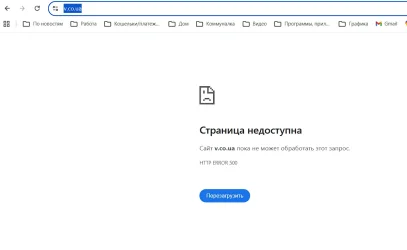
Hmm... It doesn't work.
 

Attachments

  • Снимок экрана 2026-05-06 114406.webp
    Снимок экрана 2026-05-06 114406.webp
    20.1 KB · Views: 2
This is the full guide that will show you how to edit and where to edit the code.

 
I'll create a new FTP user now since I've transferred the sites to the main server and I'll give you access via private message.
 
Hello @Yurensiy,

After careful consideration, we have decided to close this support ticket thread as we have not received any communication from you in the last five days. If you have any further inquiries or require assistance, please feel free to get in touch with us or open a new support ticket. We are committed to providing you with the help you need. Thank you for your understanding!
 
Status
Not open for further replies.

Donate: Campaign

Total amount
$0.00
Goal
$60.00

AdSense

Back
Top