
Install the app
How to install the app on iOS
Follow along with the video below to see how to install our site as a web app on your home screen.
Note: This feature may not be available in some browsers.
-
New Website for downloads
We established this website with the intention of fostering a community in which individuals could join and share their insights and resources. However, we have observed that the majority of users primarily utilize the platform to download desired files, subsequently returning only for future updates. In response to this trend, we have decided to develop An application that will run on Windows, Linux, and Mac And we will be combining Sngine.community and codanya.com Into this application, creating one large download app That will have a wide selection of downloads available for our users.
We currently have a Windows Alpha version available that we are testing. And hoping to have that released very soon!
If you have any suggestions on what type of files and products that we should list for download, feel free to message or post, and we will see about adding that to it.
You are using an out of date browser. It may not display this or other websites correctly.
You should upgrade or use an alternative browser.
You should upgrade or use an alternative browser.
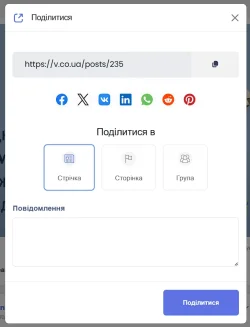
Where can I change the social networks where I can share a post?
- Thread starter Yurensiy
- Start date

Points
43
Solutions
0
I can't find where to edit the list of social networks to share a post.
I need to replace:
I didn't find it in the settings.
- VK with Telegram
- IN with Viber
View attachment 286
To do this, you need to edit a little bit of code.
/content/themes/default/templates/__social_share.tpl
And all you need to do is add the share code for the social media platform of your choosing.

Points
8
Solutions
0
I did it like this, and it switches to telegram.org
Code:
<a href="https://t.me/share/url?url" class="btn-icon-social" target="_blank">
  {include file='__svg_icons.tpl' icon="vk" width="24px" height="24px"}
</a>
Points
43
Solutions
0
Yes, because the t.me domain just redirects to the actual domain
Add this code to __social_share.tpl
And upload the files from the Zip to the correct place.
svg file: /images/svg/telegram.svg
__svg_icons.tpl: \content\themes\default\templates\__svg_icons.tpl
All the information is from this website. https://core.telegram.org/widgets/share
Code:
<a href="https://t.me/share/url?url={$_link}" class="btn-icon-social" target="_blank">
  {include file='__svg_icons.tpl' icon="telegram" width="24px" height="24px"}
</a>
Add this code to __social_share.tpl
And upload the files from the Zip to the correct place.
svg file: /images/svg/telegram.svg
__svg_icons.tpl: \content\themes\default\templates\__svg_icons.tpl
All the information is from this website. https://core.telegram.org/widgets/share
Attachments
Points
43
Solutions
0
Now I've added this code and it's stopped working altogether. Otherwise, the Viber icon won't show up.Code:{elseif $icon == "viber"} {include file='../images/svg/viber.svg'}
You have obviously added your own custom code for Viber, so open up the file in the zip, take out the Telegram code, and add it to your template file.
Points
8
Solutions
0
I did this, but I still need to add Viber.You have obviously added your own custom code for Viber, so open up the file in the zip, take out the Telegram code, and add it to your template file.
And for some reason WhatsApp isn't displayed in the mobile version, although it is in the PC version.

Points
43
Solutions
0
Not if you add the Telegram code into your file. It should already have Viber in your file. It's a faster way of doing it.I did this, but I still need to add Viber.
Points
8
Solutions
0
Not if you add the Telegram code into your file. It should already have Viber in your file. It's a faster way of doing it.
Points
43
Solutions
0
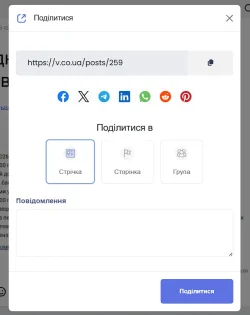
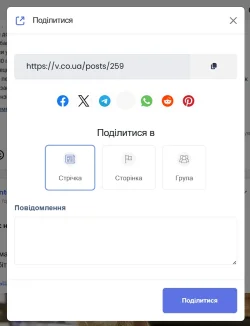
Nice, so it looks like you got the Telegram icon working. Just do the same for Viber.

Points
43
Solutions
0
Let me have a look for you.
Points
43
Solutions
0
Did you remove the FTP account that you had set up for me?
Points
8
Solutions
0
No. I turn off all FTP. I've turned it on now.Did you remove the FTP account that you had set up for me?
Points
43
Solutions
0
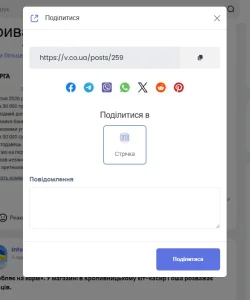
The Viber icon is now showing.
Points
43
Solutions
0
For some strange reason, the viber.svg file you had was blank.It works!! Thank you very much
! What was the reason?

Donate: Campaign
0%
- Total amount
- $0.00
- Goal
- $60.00